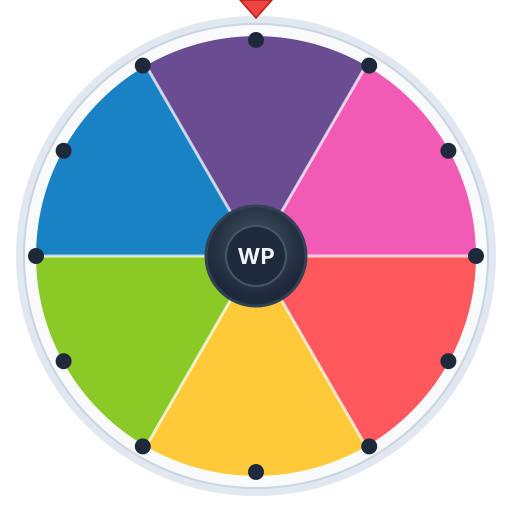
Free Online Spin Wheel Maker

Create your own custom spin wheel in seconds. Add entries, pick a random winner, and record the result for TikTok or YouTube Shorts.

Spin Results
Wheel Entries
Add, edit, and colorize
0

How to Use the Spin Wheel

  1. 1Add your choices using the entry panel on the right. You can type text and add emojis!
  2. 2Customize colors by clicking the color circle next to each entry.
  3. 3Click the SPIN button in the center of the wheel and watch it go!
  4. 4Use Record & Spin to capture a video perfect for TikTok or YouTube Shorts.
  5. 5Set the spin count for multiple rounds with a results summary at the end!

Features

What Is WheelPickerApp?

WheelPickerApp is a free online spin wheel maker that helps you make random decisions in a fun, visual way. Whether you need to pick a name, choose what to eat, or settle a debate, just add your options, spin the wheel, and let randomness decide. No sign-up, no app download, no cost — it runs right in your browser on any device.

Unlike basic random generators that just show a text result, WheelPickerApp gives you an animated spinning wheel with colorful slices, confetti celebrations, sound effects, and even the ability to record your spin as a video for TikTok or YouTube Shorts. It turns everyday decisions into a genuinely fun experience.

Who Is This For?
  • Teachers and educators — Pick random students for questions, assign groups for projects, run classroom quiz games, and keep students engaged. Works great on projectors and smartboards.
  • Content creators and streamers — Use the built-in video recording to create spin-wheel content for TikTok, YouTube Shorts, Instagram Reels, and live streams. Giveaway wheels and Q&A spinners are the most popular creator formats.
  • Friend groups and families — Game nights, party games like Truth or Dare, deciding where to eat, assigning chores, and settling any friendly argument the fun way.
  • Offices and teams — Icebreakers, team-building activities, assigning tasks fairly, and running fun raffles during meetings or events.
How It Works
  1. Add your options — Type entries into the panel. Add as many as you want with emojis and custom colors.
  2. Spin the wheel — Click the SPIN button and watch the wheel animate with realistic physics and sound effects.
  3. Get your result — The wheel lands on a random entry with a confetti celebration. Results are tracked across spins.
  4. Share it — Hit Record & Spin to capture a video, or screenshot your result to share with friends.
Record & Share on TikTok

WheelPickerApp is one of the only free spin wheel tools with built-in video recording. Click Record & Spin and the app captures your entire wheel spin — from the dramatic buildup to the confetti-filled reveal — as a downloadable video clip.

The recording is optimized for vertical social media formats. Upload it directly to TikTok, YouTube Shorts, or Instagram Reels. Creators use this for giveaway reveals, challenge picks, Q&A spinners, and engaging decision-making content that gets views and interaction.

Use Cases
  • Classroom activities — Pick random students to answer questions, form groups for projects, or run spelling and quiz games with a letter or number wheel.
  • TikTok giveaways — Add follower names to the wheel, record the spin, and post the video as a transparent giveaway reveal your audience trusts.
  • Game night decisions — Use the Truth or Dare wheel, Would You Rather spinner, or create a custom challenge wheel for your next party.
  • What to eat for dinner — Add your favorite restaurants or cuisines to the Food Picker wheel and let fate decide tonight's meal.
  • Office icebreakers — Spin a wheel of fun questions, random topics, or team assignments during meetings to keep things energized.
  • Raffle drawings — Enter participant names, spin, and pick winners fairly. The random selection is transparent and fun for everyone watching.
  • Baby name decisions — Can't agree on a name? Add your top picks and let the wheel break the tie.
  • Creative prompts — Artists and writers use the color picker, letter picker, or custom prompt wheels to spark ideas and break through creative blocks.
Why Choose WheelPickerApp?
  • Truly free — No freemium limits, no account walls, no premium tier. Every feature works for everyone.
  • Private by design — Your data never leaves your browser. No tracking, no analytics on your entries, no server-side storage.
  • Works everywhere — Desktop, tablet, phone — any modern browser. No app install needed.
  • Built for creators — The video recording feature is designed specifically for TikTok and YouTube Shorts content.
  • 20+ specialized tools — Beyond the custom wheel, explore dedicated tools for Yes/No decisions, number picking, name picking, Truth or Dare, and more.

Frequently Asked Questions

How do I make a spin wheel online?
Just visit WheelPickerApp.com, type your options into the entry panel, and click SPIN. You can add as many entries as you want, customize colors, and even add emojis. No account or download required.
Is WheelPickerApp completely free?
Yes, 100% free with no registration, no paywall, and no hidden costs. Every feature including video recording, presets, multi-spin, and dark mode is available to all users.
Can I use the spin wheel for my classroom?
Absolutely! Teachers use WheelPickerApp to pick random students, assign groups, run quiz games, and make classroom activities more engaging. It works on any device with a browser, including classroom projectors.
How do I record a spin wheel video for TikTok?
Click the Record & Spin button. The app records your wheel spin as a video clip optimized for TikTok and YouTube Shorts. When the spin finishes, download the video and upload it directly to your social media.
Is the wheel truly random?
Yes. The result is determined by Math.random(), which gives every entry an equal probability of being selected. The wheel animation is purely visual — the outcome is calculated fairly before the wheel starts spinning.
Can I pick a random name with this wheel?
Yes! Type the names of students, team members, or participants into the entry panel. Each name gets its own slice on the wheel. You can also try our dedicated Random Name Picker tool.
Does it work on mobile phones?
Yes, WheelPickerApp is fully responsive and works on all modern smartphones, tablets, and desktop browsers. The touch-friendly interface makes spinning easy on any device.
Can I save my wheel and come back later?
Yes! Click the Save Preset button to store your wheel configuration in your browser. Load it anytime from the Presets dropdown. Your entries and settings are also auto-saved in local storage.