Recording...
Spin Results
Wheel Entries
Add, edit, and colorize
0
Paste anything — names, prizes, dinner plans — and spin. The fastest way to hand a decision over to fate.
Paste your list below, one item per line
A wheel spinner is the digital cousin of the carnival wheel: you load it with options, give it a spin, and an arrow points at your answer. This one runs entirely in your browser — no download, no account, no setup beyond typing or pasting a list. Each entry becomes a slice, every slice gets equal odds, and the pick itself comes from cryptographically strong randomness, so the result is genuinely fair rather than “fair-ish.”
The whole point is speed. You’re not here to build a spreadsheet or weigh pros and cons; you’re here because a decision has been circling the group chat for twenty minutes and someone finally said “just spin for it.” Paste the options, hit SPIN, and the wheel does in four seconds what committee debate couldn’t do in an afternoon.
And because the animation builds a little suspense before the reveal, the answer lands with a sense of occasion. A random pick from a boring list feels arbitrary; a random pick from a spinning wheel feels like a verdict.
This is the general-purpose spinner, which means the wheel doesn’t care what you feed it. Load it with names and it’s a raffle drum — pick who presents first, who answers the next question, who wins the gift card. Load it with prizes and it’s a giveaway wheel for streams, parties, and classroom reward days. Load it with decisions — restaurants, movies, weekend plans, which chore gets done first — and it’s the tiebreaker your household has been missing.
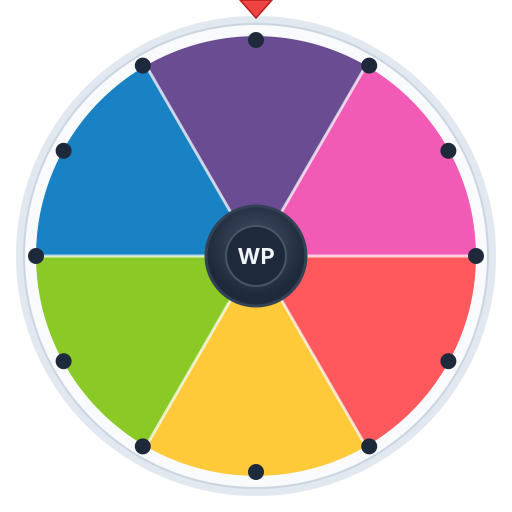
The default wheel on this page shows the spread on purpose: a yes, a no, a pizza, a movie night, a wildcard. Delete what you don’t need, paste what you do, and the wheel reshapes itself instantly.
If you find yourself spinning the same kind of list every day, the site also has wheels tuned for specific jobs — a name picker for classrooms, a team picker for splitting groups, a prize wheel for giveaways. Think of this page as the multitool and those as the dedicated blades.
Three features turn this from a toy into a workhorse. Elimination mode automatically removes each winner from the wheel after their spin, so nobody — and nothing — gets picked twice. It’s the honest way to run a no-repeat draw: pick presentation order, work through a chore list, or draw first, second, and third prize without anyone doubling up.
Multi-spin runs several spins back to back and collects the results in one tidy list. Need five winners from two hundred entrants? One click instead of five, and the wheel keeps score for you. Pair it with elimination mode and you get a clean ranked draw with zero repeats.
Then there’s the spin recorder. Hit record before you spin and the wheel captures the whole thing — the buildup, the slowdown, the landing — as a video you can share. For giveaways it’s proof the draw was real; for everything else it’s just fun to post the moment fate picked pizza again.
A few habits make the wheel dramatically faster to live with. First, paste, don’t type: the Paste List button takes anything with one entry per line — a class roster, a column copied from a spreadsheet, a list from your notes app — and builds the whole wheel in one go.
Second, save your regulars as presets. If you spin the same lunch spots every week or the same team roster every Friday, save the wheel once and reload it in two clicks. Presets live in your browser, so there’s no login to remember.
Third, make the wheel readable at a glance. Short labels beat long sentences — “Thai place” spins better than the full restaurant name and address — and a well-placed emoji makes the winning slice instantly recognizable from across the room.
Finally, decide the rules before you spin. One spin, final answer, no re-rolls — the wheel only ends arguments if everyone agrees it gets the last word.